



The technical format of Ben Phillips: what appears on screen
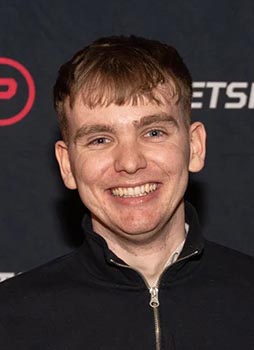
Historical broadcast images show a gameplay window, a facecam, chat and promotional overlays. They allow the scene layout to be described, but do not establish the models of computer, microphone, camera or lighting.
The equipment below forms one illustrative configuration for a similar broadcast format. It is not an inventory of the creator’s equipment or the result of measurements of his streams. The configuration is intended to support browser gameplay, voice, a camera and scene management together.
A computer for the Ben Phillips stream format
One possible configuration uses a single PC with an AMD Ryzen 5 7600, NVIDIA GeForce RTX 4060, 32 GB of DDR5 and a 1 TB NVMe SSD. The motherboard must support AM5 and the selected memory. A separate streaming computer is not an essential part of this example.
Processor, graphics card and memory
The Ryzen 5 7600 is a six-core option for the proposed system. The RTX 4060 supports NVENC hardware encoding, while 32 GB of memory accommodates the browser, OBS and supporting windows. The 1 TB SSD is intended for the operating system, applications and recordings. The specific motherboard, power supply and case should be selected with connectors, cooling and component requirements in mind.
Monitors and workspace arrangement
The illustrative arrangement uses two Dell P2425H monitors. One can display the game, while the other holds OBS, chat and broadcast status information. This is a proposed working arrangement, not an established monitor count for the creator.
Capturing the required window rather than the entire desktop makes it easier to control what appears on screen and avoid exposing private correspondence or information from other accounts.
Peripherals for broadcasts in the style of Ben Phillips
Browser-based casino games do not establish a need for a specialist gaming keyboard or mouse. The proposed configuration uses a wired Logitech MK120 set. Predictable input, comfortable positioning and avoiding accidental presses while managing the broadcast are the relevant considerations.
Keyboard and mouse
The Logitech MK120 connects through USB and covers basic input tasks. OBS shortcuts should be assigned so they do not overlap with game actions. Scene switching and microphone muting should be checked before going live rather than relying on memory alone.
Headphones and supporting accessories
Closed-back wired Audio-Technica ATH-M40x headphones are proposed for monitoring. They allow audio to be checked without playing it through speakers near the microphone. A stable microphone mount and organised cables complete the workspace, but are not confirmed accessories owned by the creator.
What is known about the BenPhillips microphone?
The precise model and audio connection arrangement have not been established. Our example uses a Shure MV7+ through USB-C, which does not require a separate audio interface. Its XLR connection would be relevant to a different configuration.
Voice and game audio should be controlled separately. Before going live, a short recording containing speech and normal game sounds can help check levels, clipping and speech intelligibility.
Camera, lighting and the space behind the presenter
The proposed camera is a Logitech Brio 500, paired with an Elgato Key Light Air MK.2. Their purpose is to create a readable image of the presenter’s face within a small window. This matters more than trying to infer expensive equipment from the appearance of a historical frame.
Camera and image settings
The Brio 500 supports 1080p at 30 frames per second or 720p at 60 frames per second. The first mode fits the proposed 1080p30 output. Describing this camera as supporting 1080p60 would be incorrect. Face positioning, exposure and the facecam window size should be checked in the final OBS scene, rather than only in a separate settings window.
Lighting and background
The Key Light Air MK.2 can be positioned near the camera, with direction and brightness adjusted to the room. The aim is sufficient facial lighting without harsh overexposure. Documents and private information should be removed from the background. The colour of a historical stream border does not establish the use of a particular lighting system or studio design.
Software for the Ben Phillips format
The application actually used by the creator is unconfirmed. OBS Studio is selected for the illustrative configuration. It allows gameplay, camera and audio to be assembled into a scene, with separate starting, break and ending screens. Directly capturing browser gameplay in this arrangement does not require an external capture card.
Broadcasting and local recording
The game source, microphone, camera and audio output should each be checked in OBS. A local test recording can reveal problems before a public broadcast. If a longer archive is required, the available SSD space needs monitoring.
A recording does not establish simultaneous broadcasting on multiple platforms. That requires a separate configuration, which is not part of the established information about the creator.
Overlays, messages and chat
Historical layouts contained mismatched game names and unresolved bonus-hunt elements. In the proposed scene, check:
- That the displayed title matches the game being played.
- That the stake and result remain readable.
- That outdated promotional messages have been removed.
- That the camera does not cover important controls.
Chat can appear as a separate visible element or remain only on the presenter’s working screen.
Ben Phillips live: what can be assessed technically?
A screenshot shows composition, but cannot measure audio delay, dropped frames or connection stability. Likewise, a thumbnail’s dimensions do not establish the source stream’s resolution. The settings below are a starting example for testing a configuration.
Resolution, frame rate and bitrate
| Parameter | Illustrative setting |
|---|---|
| Output resolution | 1920×1080 |
| Frame rate | 30 FPS |
| Encoder | NVENC H.264 |
| Rate control | CBR |
| Video bitrate | Approximately 6,000 kbps |
| Keyframe interval | 2 seconds |
The actual result needs testing. The quality options available in the player also depend on the platform.
Connection and stability
A wired Ethernet connection and a check of actual upload speed are appropriate for the proposed arrangement. Spare bandwidth is needed for audio and other network activity. OBS indicators for dropped frames and load should be monitored, with settings reviewed if problems appear. The creator’s internet provider and connection type are unknown.
How to assess this example setup
The proposed configuration combines one PC, two monitors, simple wired peripherals, a USB microphone, headphones, a webcam and a separate light. Each element serves a clear purpose: displaying the game, keeping the presenter’s face readable and providing control over audio and scenes.
Practical testing should cover the complete workflow: a local recording, voice and game balance, scene switching, network stability and playback on another device. A list of product models alone does not guarantee a good broadcast. For viewers, the result depends on whether events are visible, commentary is understandable and the layout supports the main content.